Quick answer: the best Recipe Keeper alternative depends on what you want to fix. For a free, unlimited recipe box that imports your Recipe Keeper .zip in one go, use RecipeSage. For weekly meal planning with nutrition, Plan to Eat also lists a Recipe Keeper import. If most new recipes come from TikTok, Instagram Reels and YouTube and you want calories and protein worked out for you, pick a video-first app such as RecipeVault or ReciMe. If you want a browser extension and a cheap yearly plan, try Copy Me That.
Is Recipe Keeper free? It is free to download. The Pro upgrade is a one-time purchase ($19.99 on the US App Store), and it is bought separately on each platform. Third-party comparisons put the free version's limit at 20 recipes. See what Recipe Keeper does well or jump to how to export your recipes.
 Our app · 4.7★ App Store
RecipeVault
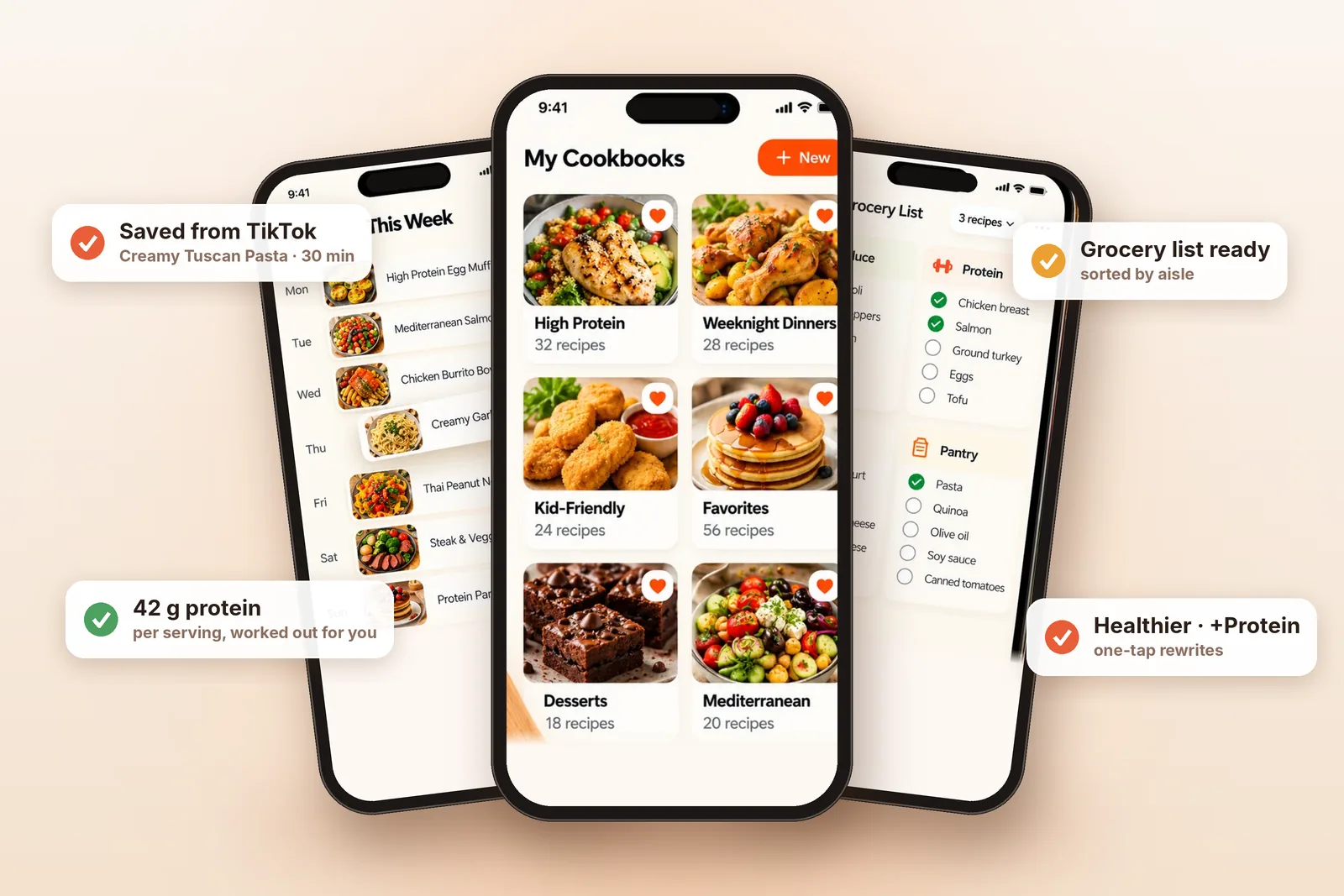
Share a TikTok, Reel or link and get the full written recipe with calories and protein, then plan it and shop it.
Get RecipeVault freeiPhone and Android · optional Premium
RecipeSage
Free, unlimited, runs in a browser and imports your Recipe Keeper .zip in one go.
See why →Plan to Eat
A planning calendar with automatic nutrition, and Recipe Keeper is on its import list.
See why →A Recipe Keeper alternative is usually on your mind for one of three reasons: you use more than one kind of device and do not want to pay for Pro on each, you want an app that works out calories and protein for you instead of typing them in, or more of your recipes now come from short videos than from cookbooks. Recipe Keeper is a well-rated app (4.8 stars from about 31,000 App Store ratings), so this is not a "it is bad, leave" list. It is a guide to which app fits better for the way you cook now.
We compare seven apps people move to on price, sources they can save from, nutrition, platforms and, most importantly, whether they can import the recipes you already keep in Recipe Keeper. There is also a step-by-step moving plan so nothing gets lost on the way.
What is Recipe Keeper, and what does it do well?
Recipe Keeper, made by Tudorspan Limited, is a digital recipe box. According to its App Store listing you can import recipes from websites, scan recipes from cookbooks, magazines and handwritten cards with the camera, add nutrition information and search by it, plan meals on a weekly or monthly calendar and build a shopping list grouped by aisle. Its version history added importing from Instagram and TikTok in late 2024. It can also export a PDF cookbook and has an Alexa skill.
| Recipe Keeper fact | What the listing or comparison says |
|---|---|
| Price | Free download; Pro upgrade $19.99 one-time (US App Store) |
| Free version limit | 20 recipes, per RecipeSage's comparison and Windows Central (not stated on Apple's listing) |
| Devices | iPhone, iPad, Mac, Windows PC, Android; Pro is a separate purchase per platform |
| Rating | 4.8 from about 31,000 US App Store ratings |
| Saves from | Websites, Instagram, TikTok, camera scans and photos of printed or handwritten recipes |
| Nutrition | You can add nutrition information and search recipes by it |
| Planning | Weekly and monthly meal planner, aisle-grouped shopping list |
That is a lot for a one-time price, which is why Recipe Keeper has a loyal following. If your kitchen is one iPhone and a stack of family cards, it may already be the right app. Read when to stay before you move anything.
Why people look for a Recipe Keeper alternative
- Paying once per platform. The App Store listing says syncing to other platforms needs a separate purchase. If your household mixes an iPhone, an Android phone and a Windows laptop, that adds up, and an app with one account across devices can be simpler.
- No web app. RecipeSage's comparison notes that Recipe Keeper has no web version and no official browser extension. If you plan meals at work on a browser, RecipeSage, Plan to Eat, Copy Me That and Samsung Food all run in one.
- Nutrition you have to enter. Recipe Keeper lets you add nutrition information. Apps such as RecipeVault, Plan to Eat and Samsung Food calculate it per serving for you, which matters if you track calories or protein.
- Video recipes. Recipe Keeper added Instagram and TikTok import, but if most of what you save is video, apps built around videos also read the voiceover and on-screen text and can rewrite a recipe for your goals.
Recipe Keeper alternatives at a glance
| App | Best for | Price (US) | TikTok / Reels | Nutrition | Imports a Recipe Keeper export | Platforms |
|---|---|---|---|---|---|---|
| Recipe Keeper (for reference) | One-time price, scanning cards | Free; Pro $19.99 one-time per platform | ✓ | Add your own | n/a | iPhone, iPad, Mac, Windows, Android |
| RecipeSage | Free, unlimited recipe box | Free (optional contributions) | – | ✓ | ✓ .zip | Web, iPhone, Android, desktop |
| Plan to Eat | Weekly meal planners | $5.95/month or $49/year, 14-day trial | – | ✓ | ✓ listed (.html) | Web, iPhone, Android |
| RecipeVault | Video recipes + nutrition | Free; optional Premium; $59.99 lifetime | ✓ | ✓ automatic | Re-save by link | iPhone, Android |
| Copy Me That | Browser extension, low price | Free to 40 recipes; $12/year or $65 lifetime | – | – | – | Web, iPhone, Android |
| Paprika 4 | Desktop cooking | Free to 50 recipes; Premium subscription | Premium | Premium | Not listed | iPhone, Android, Mac, Windows |
| ReciMe | Social recipe saving | Free, 5 imports a week; Plus trial | ✓ | Plus | – | iPhone, Android |
| Samsung Food | Free planning + web | Free; Food+ $6.99/month | – | ✓ | – | Web, iPhone, Android |
✓ = named in the app's own listing, website or help pages (checked November 5–19, 2026). – = not named there, which does not always mean impossible; it means the app does not promise it. Prices vary by country and change often.
How to export your recipes from Recipe Keeper
Before you try any alternative, make a backup. In Recipe Keeper open Settings › Import/Export, and under Export recipes to choose Recipe Keeper .zip file. Save the .zip somewhere you will find it again, such as cloud storage or email it to yourself. RecipeSage describes the file as a .zip with an HTML file and a folder of images.
- Recipes and photos travel well. Titles, ingredients, steps, notes and images are in the file, so apps that read it bring them across in one go.
- Keep the original .zip. RecipeSage warns that not every .zip is a Recipe Keeper export, so upload the file exactly as Recipe Keeper made it rather than one you unzipped and re-zipped.
- Meal plans and shopping lists are not recipes. Take a screenshot of next week's plan and your current list before you switch.
- Check categories. Test an import with a small batch and confirm your courses and categories arrived the way you expect.
| Moving to… | How your Recipe Keeper recipes get there | Effort for 300 recipes |
|---|---|---|
| RecipeSage | Settings › Import › Recipe Keeper, upload the .zip | Minutes |
| Plan to Eat | Import recipes from other recipe apps › Recipe Keeper (.html) | Minutes |
| RecipeVault, ReciMe, Samsung Food, Copy Me That | Share each recipe's original link to the app again; scan card photos; start with your 20–30 most cooked | About a minute per recipe |
The honest shortcut: most people cook the same 20 to 40 recipes. Move those to the app you want to live in, keep the .zip as a backup, and let the rest wait until you need them.
1. RecipeSage: best free Recipe Keeper alternative
Price: free with unlimited recipes; hosting is funded by optional contributions · Works on: web, iPhone, Android, Windows, Mac, Linux
RecipeSage is the easiest move. It has a dedicated Recipe Keeper importer for the .zip export, a meal planner, a shopping list, scaling and a cook mode, and it lists photo import (OCR), nutrition and a printable PDF cookbook. Because it runs in a browser as well as on phones and desktops, one account covers every device you own, with no per-platform purchase.
- Good: free and unlimited, one-file import from Recipe Keeper, runs everywhere.
- Not so good: built around websites and files; it does not promise TikTok or Instagram video import.
2. Plan to Eat: best for weekly meal planning
Price: $5.95 a month or $49 a year, with a 14-day trial that does not need a card · Works on: web, iPhone, Android
Plan to Eat is a recipe box built around a planning calendar. Its help center lists Recipe Keeper among the apps it imports from, it calculates nutrition automatically and shows macros on the calendar, and it turns the plan into a shopping list. If you used Recipe Keeper's planner every week, this is the most natural upgrade.
- Good: listed import, strong planner, automatic nutrition.
- Not so good: no free plan after the trial, and it is not designed around video recipes.
3. RecipeVault: best if you find recipes in videos and track nutrition
Price: free download, optional Premium, $59.99 lifetime on the App Store · Works on: iPhone, Android · App Store rating: 4.7
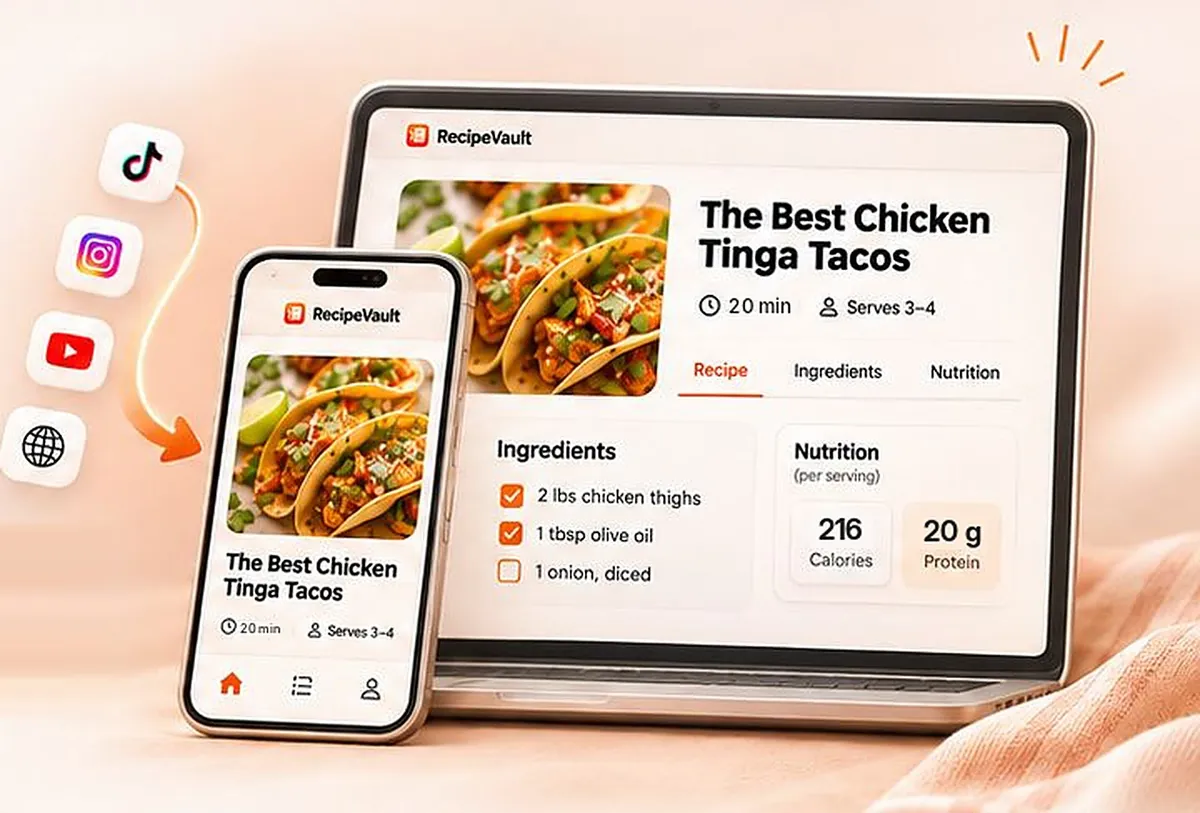
Disclosure: RecipeVault is our app. Pick it if the recipes you keep now come from TikTok, Instagram Reels, YouTube and Pinterest as much as from blogs and cards. Share a video or link and RecipeVault writes out the ingredients and numbered steps with calories and protein per serving, so you never type nutrition in by hand. It also reads screenshots and photos of handwritten cards, which covers the scanning you may use in Recipe Keeper. After saving, one tap rewrites a recipe as Healthier, +Protein, Kid-friendly or Spicier; you can ask what to cook from what you have; and planned meals become one merged grocery list. Premium includes household sharing for up to 5 members.
What is free and what needs Premium, current store ratings and the app's store names are summed up on the RecipeVault app page.
- Good: widest set of sources here, automatic nutrition on every recipe, rewrites for your goals, one account on iPhone and Android.
- Not so good: no web or desktop app, and we do not offer a one-file import of a Recipe Keeper export, so you move favorites by sharing their links or scanning the cards.
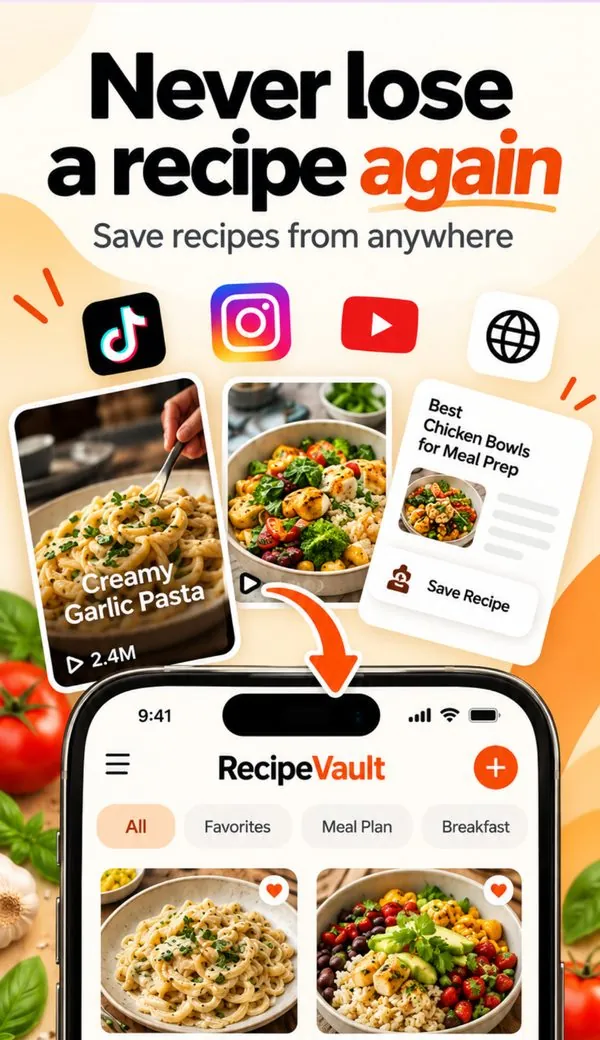
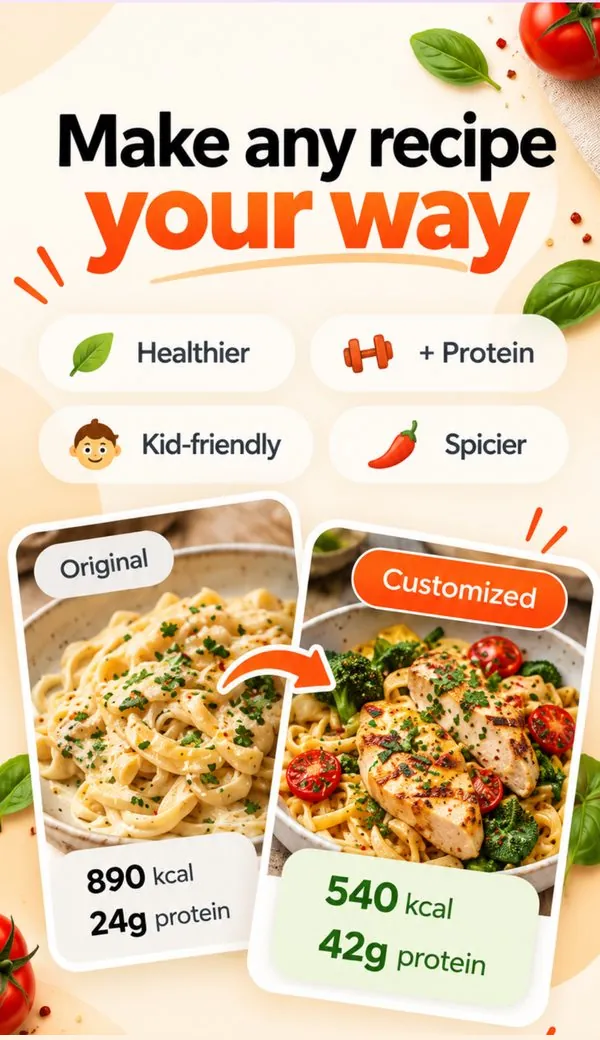
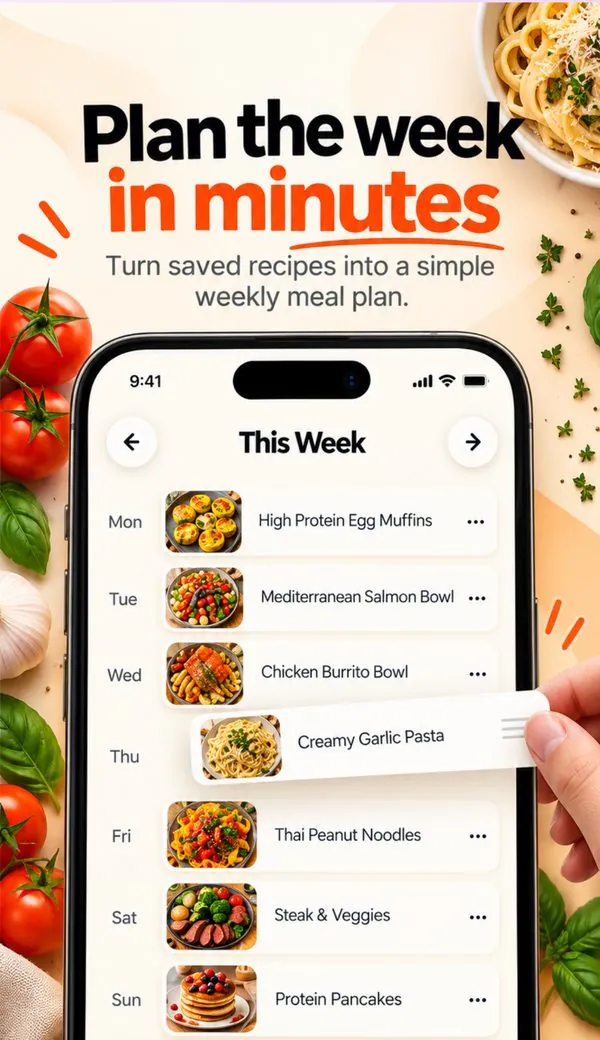
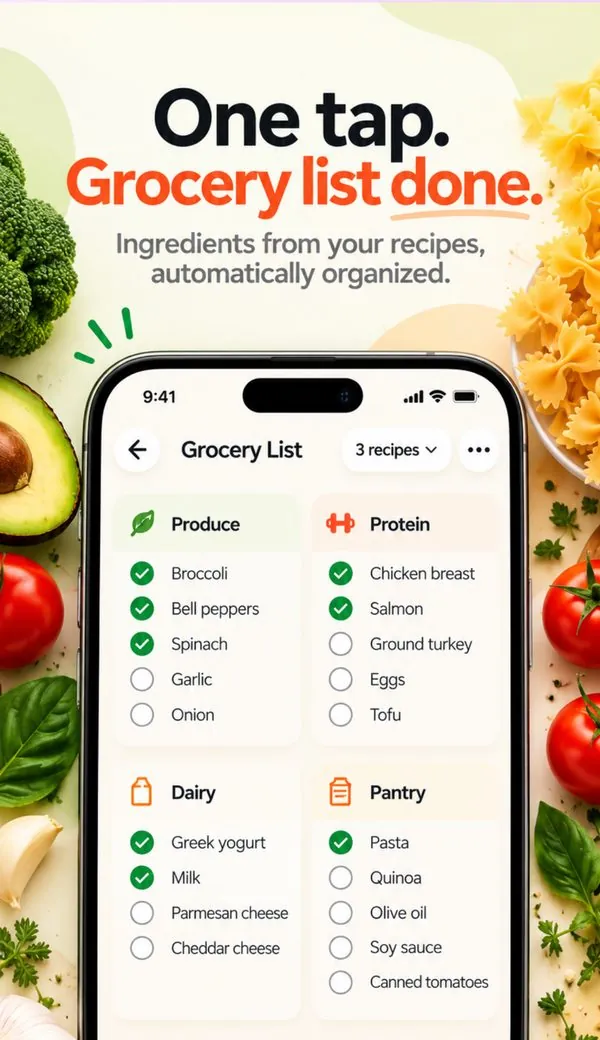
- Nutrition calculated for you, not typed in
- TikTok, Reels, YouTube, Pinterest and websites
- Scans screenshots and handwritten cards
- Household sharing for up to 5 people
Free download on iPhone and Android. Premium is optional ($59.99 lifetime on the App Store). The free recipe importer runs in your browser with no sign-up.
Moving mostly video recipes? See our guide to saving recipes from TikTok.
Save the recipes you find in videos, too
Share a TikTok, Instagram Reel, YouTube video or recipe link to RecipeVault and get written ingredients, steps and calories per serving. Free on iPhone and Android.
4. Copy Me That: best cheap option with a browser extension
Price: free for your first 40 recipes, then $1 a month, $12 a year or $65 for life · Works on: web, iPhone, Android, plus extensions for Chrome, Firefox and Edge
Copy Me That saves a full copy of a recipe from websites, scales ingredients, plans meals and sorts the shopping list by aisle, and every feature works on the free plan up to 40 recipes. It fills the two gaps people mention most in Recipe Keeper, a web version and a browser extension. It does not list a Recipe Keeper import or nutrition. See our Copy Me That alternatives guide for the full picture.
5. Paprika 4: best for cooking from a laptop
Price: free up to 50 recipes without sync; Premium is a subscription covering every device, prices vary by region · Works on: iPhone, iPad, Android, Mac, Windows
Paprika saves recipes with a built-in browser, plans meals on a calendar, merges the grocery list by aisle and works offline. Paprika 4 moved new users from pay-once apps to a free tier and a Premium subscription, which adds social media imports, recipe scanning, nutrition and sync. Paprika's help page explains how to import a file but does not list which apps it supports, so test a few Recipe Keeper recipes before you rely on it.
6. ReciMe: best known social recipe saver
Price: free with up to 5 imports a week; ReciMe Plus unlocks unlimited social imports and nutrition, with a 7-day trial · Works on: iPhone, iPad, Android
ReciMe imports from Instagram, TikTok, Facebook, YouTube and Pinterest, has a weekly planner and an aisle-sorted grocery list. Five imports a week is fine for casual saving but tight while you move a collection, and nutrition is a Plus feature. See RecipeVault vs ReciMe.
7. Samsung Food: best free planner with a web version
Price: free; Food+ $6.99 a month or $59.99 a year · Works on: iPhone, iPad, Android, web
Samsung Food saves recipes from websites, turns photos of cookbooks and handwritten recipes into digital ones, and builds meal plans and shopping lists. It is the closest free match to Recipe Keeper's scan-and-plan workflow, with a browser version on top. Its listing does not promise TikTok or Instagram video import. See RecipeVault vs Samsung Food.
When to stay with Recipe Keeper
Stay if you cook from one kind of device, you already own Pro there, you like scanning family cards and a one-time price matters more to you than automatic nutrition. Recipe Keeper's rating and feature list are strong, and switching costs an evening. Many people also run two apps: Recipe Keeper for the family archive, and a video-first app on the phone for the TikToks and Reels they want to try this week.
How to switch in 20 minutes without losing anything
- Export a backup first. Settings › Import/Export › Export recipes to › Recipe Keeper .zip file. Keep the original file.
- Screenshot your current meal plan and shopping list. They are not part of a recipe export.
- Make a "keep" list. The recipes you cooked in the last year; for most people that is 20 to 40.
- Test the new app with five recipes: one blog, one TikTok or Reel, one YouTube video, one screenshot, one handwritten card. Check every ingredient has an amount and the steps are in order.
- Move the rest. Import the .zip if your new app supports it, or share each "keep" recipe's original link. Check the numbers with the recipe calorie calculator while you are there.
- Rebuild one week of meals and let the new app make the grocery list. If two people shop, set up a shared list (see household sharing).
Pick by what you want to fix
| If you want… | Choose | Why |
|---|---|---|
| Free and unlimited, with your recipes moved in one file | RecipeSage | Dedicated Recipe Keeper importer |
| A weekly planner with macros on the calendar | Plan to Eat | Lists a Recipe Keeper import, automatic nutrition |
| Recipes from TikTok, Reels and YouTube written out for you | RecipeVault or ReciMe | Both turn videos into written recipes |
| Calories and protein on every recipe without typing them | RecipeVault | Nutrition per serving calculated on save |
| A browser extension and a web version | Copy Me That or RecipeSage | Both save from a computer browser |
| A free app with photo scanning and a web version | Samsung Food | Scans cookbook pages, plans meals, free |
Make the new app useful from day one
A recipe app earns its place when it gets dinner on the table. Plan three dinners for next week with our free meal plan generator, print a family favorite with the recipe card maker, resize a recipe for a crowd with the recipe scaler, and fill the gaps with tested ideas like these easy weeknight dinners. For the wider picture, read our best app for saving recipes guide, the best recipe import tools and the recipe organizer app comparison.
Frequently asked questions
What is the best alternative to Recipe Keeper?
For a free, unlimited app that imports your Recipe Keeper .zip, RecipeSage. For meal planning with automatic nutrition, Plan to Eat, which also lists a Recipe Keeper import. If you mostly save TikTok, Instagram and YouTube recipes and want calories and protein worked out, a video-first app such as RecipeVault or ReciMe.
Is Recipe Keeper free?
Recipe Keeper is free to download. The Pro upgrade is a one-time in-app purchase, listed at $19.99 on the US App Store, and it is bought separately for each platform. RecipeSage's comparison and Windows Central put the free version's limit at 20 recipes.
How do I export recipes from Recipe Keeper?
Open Settings, then Import/Export, and under Export recipes to choose Recipe Keeper .zip file. Keep the .zip exactly as it was made, because importers such as RecipeSage expect the original file.
Can I import Recipe Keeper recipes into another app?
Yes. RecipeSage has a Recipe Keeper importer for the .zip export, and Plan to Eat lists Recipe Keeper among the apps it imports from. With other apps, such as RecipeVault, ReciMe or Samsung Food, you re-save each recipe by sharing its original link or scanning the card.
Does Recipe Keeper work on Android and Windows?
Yes. Recipe Keeper syncs across iPhone, iPad, Mac, Windows PCs and Android devices, but its App Store listing says a separate purchase is required for each other platform.
Does Recipe Keeper calculate nutrition?
Recipe Keeper's listing says you can add nutrition information and search recipes by nutritional amounts. Apps such as RecipeVault, Plan to Eat and Samsung Food calculate calories and macros per serving for you.
Can Recipe Keeper save recipes from TikTok and Instagram?
Recipe Keeper added importing from Instagram and TikTok in late 2024, according to its App Store version history. Video-first apps like RecipeVault and ReciMe also read the video's voiceover and on-screen text to write out the full recipe.
Start your new recipe box with the next recipe you find
RecipeVault saves recipes from TikTok, Instagram, YouTube, Pinterest, websites, screenshots and handwritten cards, shows nutrition per serving and builds your grocery list. Free on iPhone and Android.