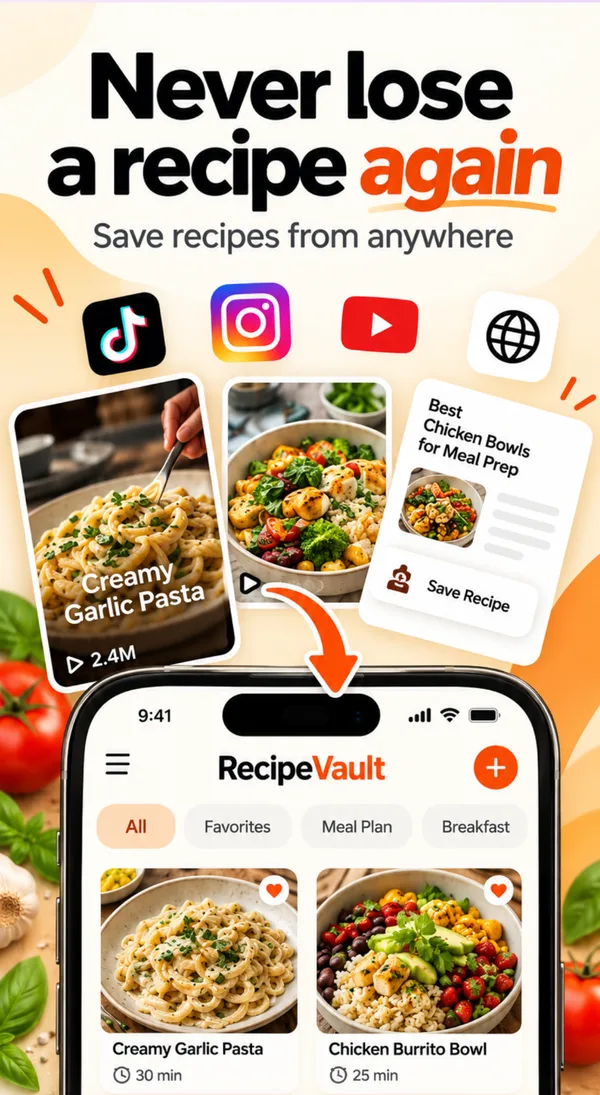
Save any recipe from TikTok, Instagram and YouTube in one tap
Share a video or link to RecipeVault and get a clean recipe card back: ingredients, steps and nutrition, with no ads and no life story. It works with websites, screenshots and handwritten cards too.
What it does
Most recipes now live inside videos. The ingredients are spoken out loud, flashed on screen for half a second, or buried in a caption. RecipeVault reads the video and caption and turns them into a written recipe you can actually cook from: an ingredient list with amounts, numbered steps, servings and nutrition.
How it works, step by step
1. Share the recipe
In TikTok, Instagram or YouTube, tap Share and choose RecipeVault. Or copy the link and paste it in the app. For a website, share the page from your browser.
2. RecipeVault writes it out
The app pulls the ingredients and steps from the video, caption or page and formats them into one consistent recipe card. Quantities are kept so you can scale servings later.
3. It lands in your vault
The recipe is saved with its photo, a link back to the original creator, and calories, protein, carbs and fat per serving. Add it to a cookbook, the meal plan or the grocery list in one tap.
Why it beats bookmarks and screenshots
- Saved posts disappear. Creators delete videos and accounts go private. A RecipeVault card keeps the recipe itself, not just a link.
- Search actually works. Find "that chicken thing from last month" by ingredient or name instead of scrolling hundreds of saves.
- One format for everything. Video, blog, screenshot or grandma's card all look the same, so cooking from them is easy.
Tips for the cleanest imports
- Share the original post rather than a repost, so the caption with the ingredient list comes along.
- For recipe cards, take the photo flat and in good light. You can edit any line after import.
- Check out our step-by-step guides for TikTok, Instagram and YouTube.
Frequently asked questions
Can RecipeVault save recipes from TikTok?
Yes. Share the TikTok to RecipeVault or paste its link, and the app writes out the ingredients and steps as a recipe card.
Does it work with Instagram Reels?
Yes. Share a Reel or post to RecipeVault. It reads the caption and the video to build the recipe.
Can I save a recipe from a screenshot or a handwritten card?
Yes. Add a screenshot or a photo of a printed or handwritten recipe and RecipeVault turns it into an editable recipe.
Does it credit the original creator?
Each saved recipe keeps a link back to the original video or page, so you can always go back to the creator.
More RecipeVault features
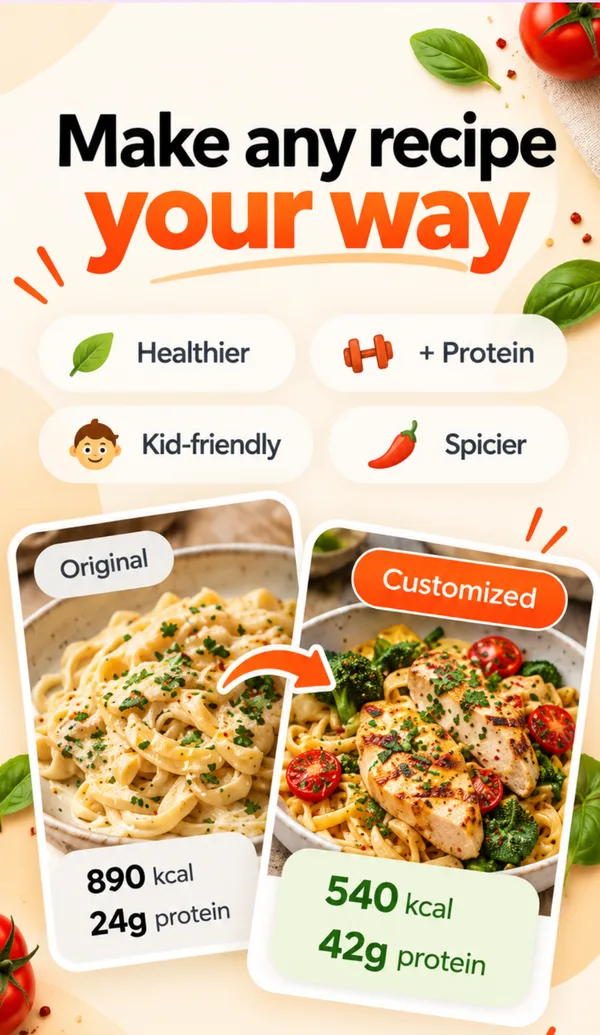
Make any recipe your way
Healthier, +Protein, Kid-friendly or Spicier. One tap rewrites the recipe and shows the new calories and protein.
Learn more →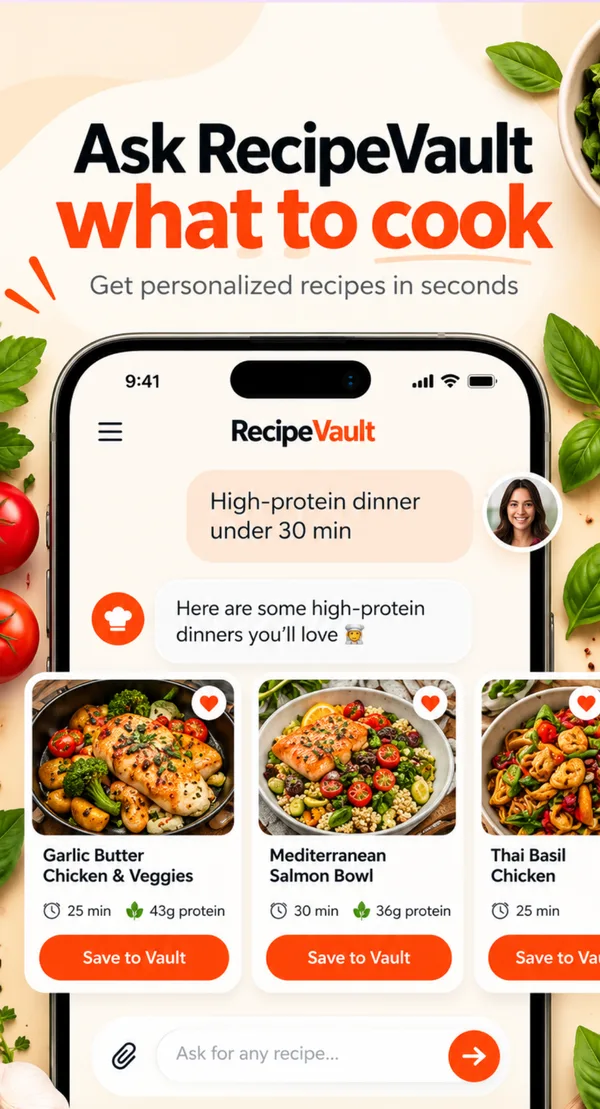
Ask RecipeVault what to cook
Type what you want or what is in your fridge. Get recipe ideas you can save, plan and shop.
Learn more →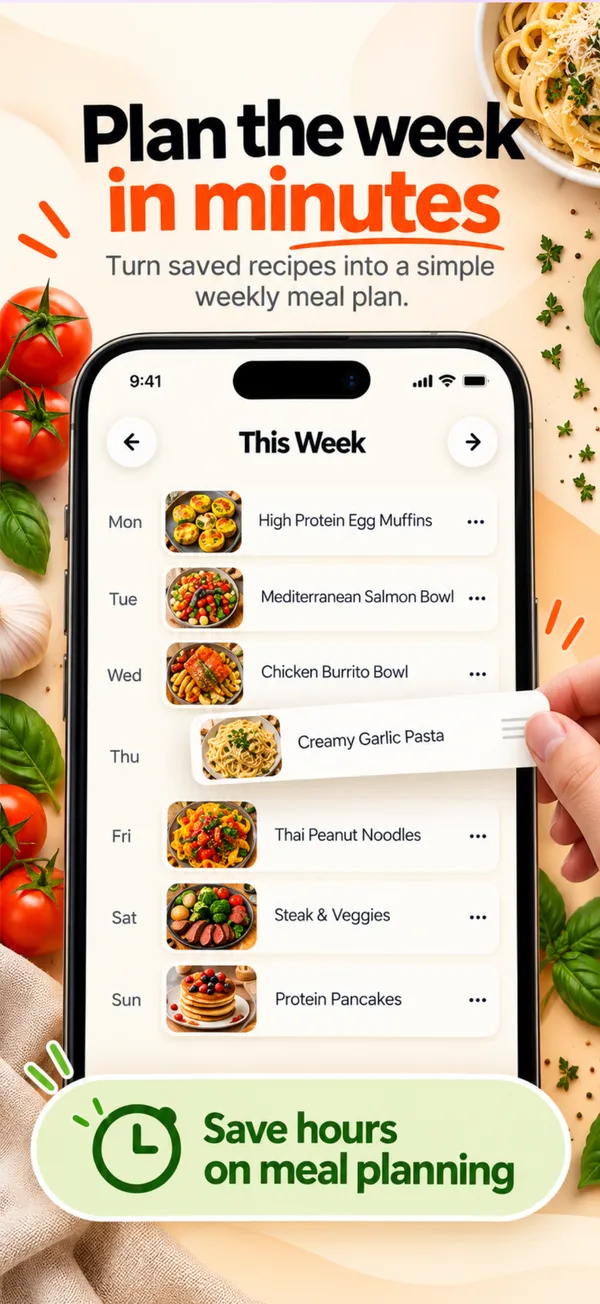
Weekly meal planner
Drag recipes onto the week or get an AI plan for your goals. One tap builds the grocery list.
Learn more →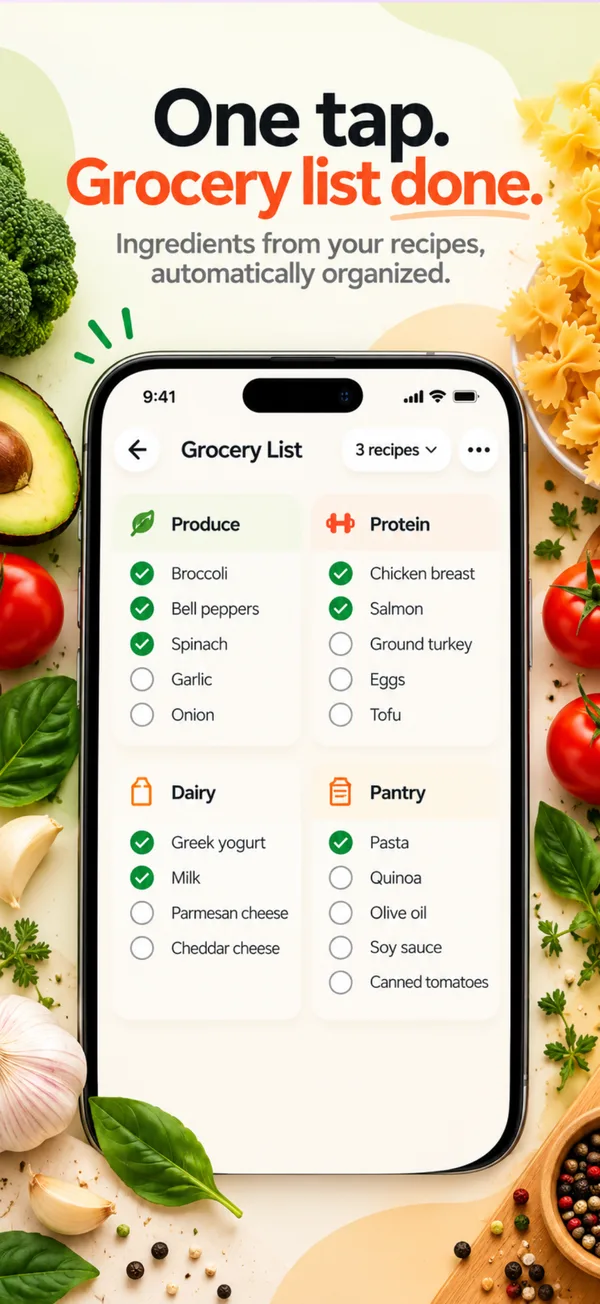
Automatic grocery list
Ingredients from your recipes, combined and sorted by store section automatically.
Learn more →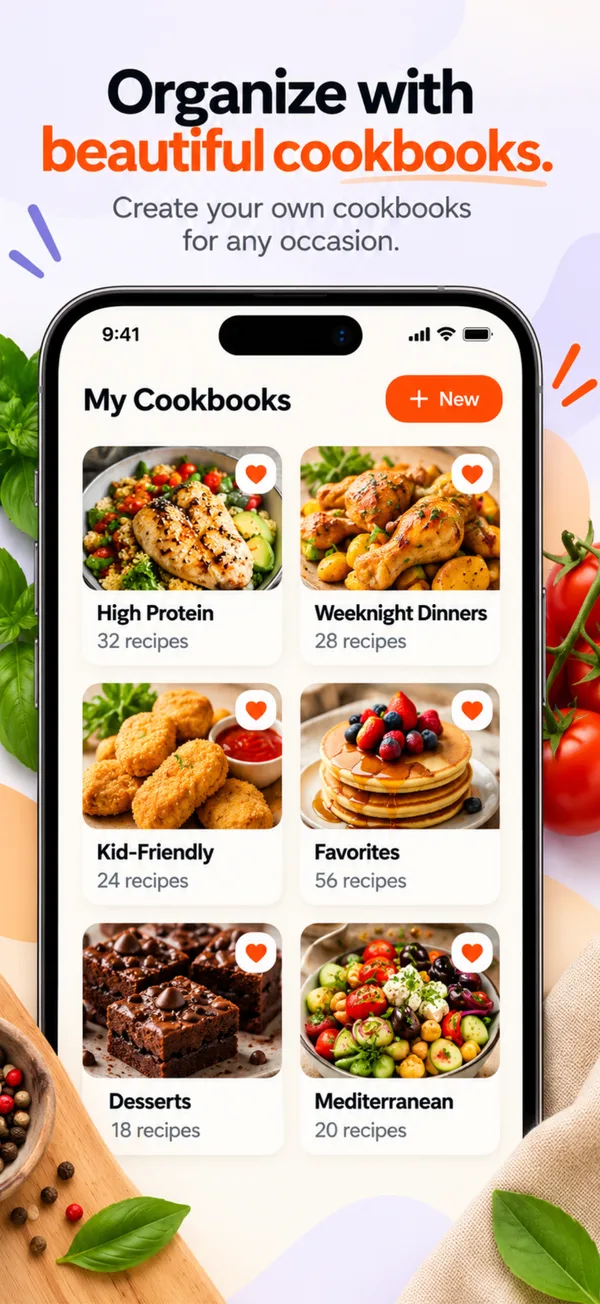
Cookbooks and collections
Group recipes into cookbooks like High Protein or Weeknight Dinners, with fast search across everything.
Learn more →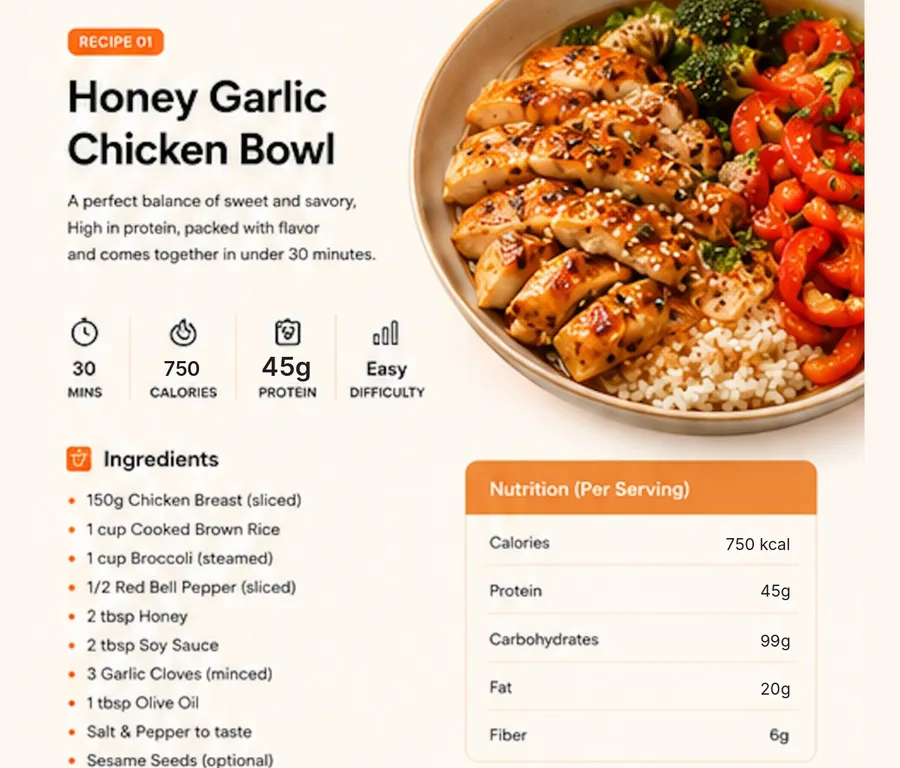
Nutrition and macros
Calories, protein, carbs, fat and micronutrients per serving on every saved recipe.
Learn more →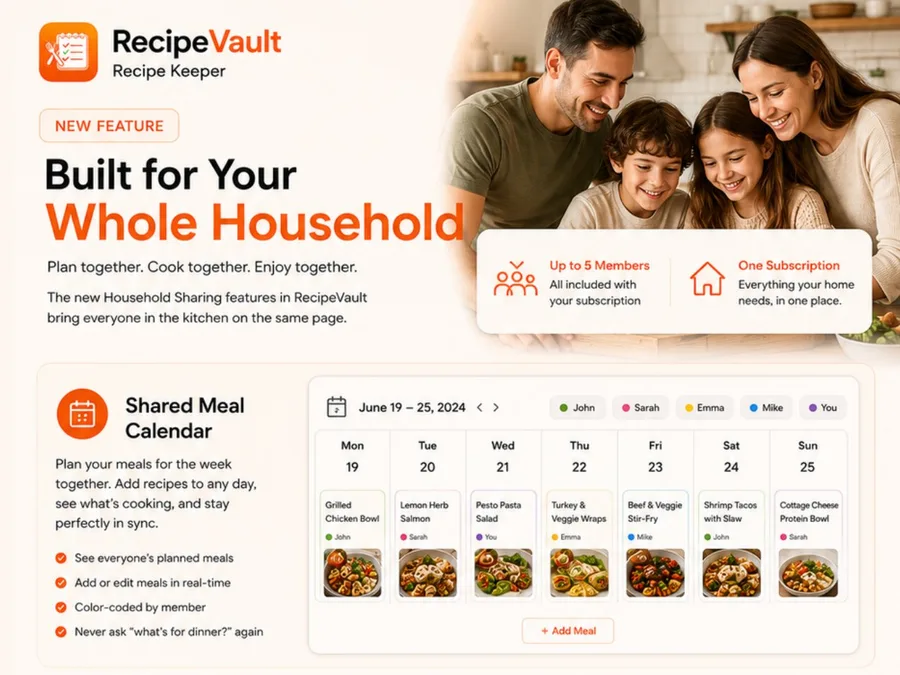
Household sharing
Up to 5 people share the meal calendar, grocery list and recipe library in real time.
Learn more →Try save from anywhere free.
RecipeVault is free on iPhone and Android.